Druva5.0.2
Publisher Description
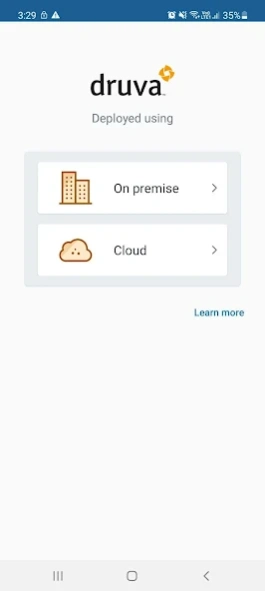


Your data in your pocket!
Data backup and legal hold collection requests today expand far beyond traditional data sources like workstations and laptops. Legal and IT teams use Druva inSync to assist in their Data Recovery, Device Migration, eDiscovery and Data Governance processes efficiently.
If your organization is using Druva inSync to protect your work files then the Druva mobile app is a perfect addition to your productivity toolkit.
• Access data that's backed up from any of your Windows or Macintosh devices.
• Mark files as favorites and have access even when offline.
• Easily backup your contacts, SMS, call logs, photos, videos, and sd card.
• Sync data for immediate access across all your devices.
• Secure your data in case your device is lost or stolen.
• Enables your organization to actively track, monitor, and manage data governance requests and needs.
Additional settings for collection of text messages, call logs, device info, and third-party app logs for Forensic analysis. This data can then be used by eDiscovery tools to monitoring it for adherence to compliance policies.
About Druva
The company that develops Druva is Druva Technologies Pte. Ltd.. The latest version released by its developer is 5.0.2. This app was rated by 1 users of our site and has an average rating of 5.0.
To install Druva on your Android device, just click the green Continue To App button above to start the installation process. The app is listed on our website since 2023-08-31 and was downloaded 27 times. We have already checked if the download link is safe, however for your own protection we recommend that you scan the downloaded app with your antivirus. Your antivirus may detect the Druva as malware as malware if the download link to com.druva.inSync_android is broken.
How to install Druva on your Android device:
- Click on the Continue To App button on our website. This will redirect you to Google Play.
- Once the Druva is shown in the Google Play listing of your Android device, you can start its download and installation. Tap on the Install button located below the search bar and to the right of the app icon.
- A pop-up window with the permissions required by Druva will be shown. Click on Accept to continue the process.
- Druva will be downloaded onto your device, displaying a progress. Once the download completes, the installation will start and you'll get a notification after the installation is finished.
Program Details
System requirements
Download information
Pricing
Version History
version 5.0.2-r2282
posted on 2023-08-31
minor bug fix
version 5.0.2-r2281
posted on 2023-07-12
Minor bug fixes
version 5.0.0-r2270
posted on 2022-03-10
Now get a refreshed Druva mobile app user interface that aligns with the standards of our desktop applications. The app is redesigned with the latest Druva branding and supports the latest Android version.
version 4.3.1-r1947
posted on 2016-07-14
4.3.1-r1947,• Minor bug fixes,4.3-r1943,• Minor bug fixes,4.2-r1940,• MSP co-branding feature added along with bug fixes.,4.1.1-r1933,• Minor bug fixes,4.1-r1905,• Android M permissions fix - If the inSync mobile app does not have the required permissions, you are asked to grant the permissions to the app.
version 3.2-r1205
posted on 2013-05-30
Several fixes and updates
